
Integrate Teams with your LMS, easily and securely
MEDIAL ingests Microsoft Teams meeting recordings for secure delivery via adaptive streaming, so teachers can add them to course pages in a few clicks: a low-cost route to lecture capture.
- Cut cloud recording storage
- Retention policies
- Works with every major LMS

Trusted by universities, colleges and businesses in more than 20 countries













MEDIAL Teams Integration
What MEDIAL adds to Microsoft Teams
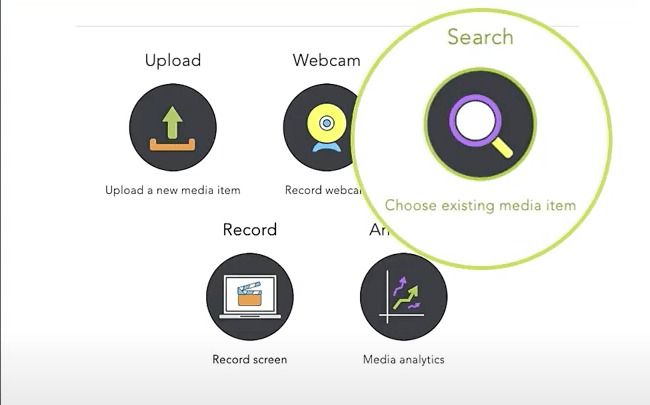
Ingest Teams recordings
Recordings are pulled into MEDIAL automatically, so you don’t pay to keep them in Teams cloud storage.
Retention policies
Advanced content retention policies and analytics help you keep only what you need.
Straight to the LMS
Recordings appear in each teacher’s account in Moodle, Canvas, Blackboard or Brightspace, ready to add to a course.
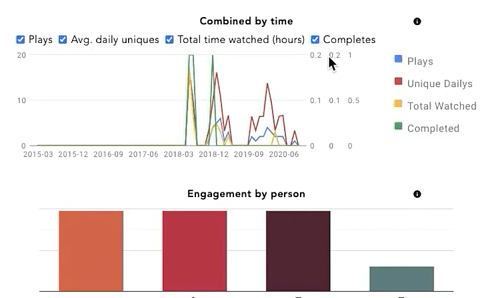
Engagement analytics
Admins and teachers see which recordings are being viewed, and by whom.
In-browser editing
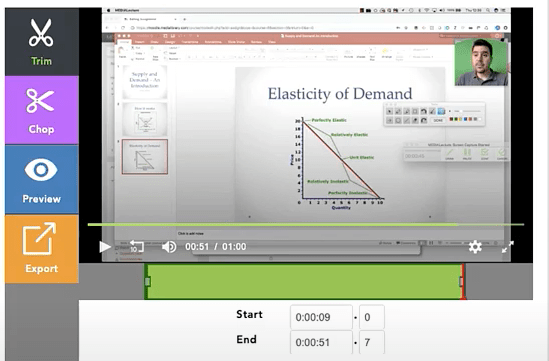
Trim, chop or create new clips from a recording, as destructive or non-destructive edits.
AI captions & search
Every recording can be captioned automatically and searched inside, so students find the moment they need.
Manage & secure
Turn Teams meetings into a secure video library
MEDIAL ingests Teams recordings for secure delivery via adaptive bit-rate streaming, and content can be managed centrally in MEDIAL Library.
Insight
Powerful analytics
See which recordings are being viewed and by whom, so you understand student engagement with every session.
Edit
Easy in-browser editing
Give teachers simple tools to trim the start and end of a meeting, chop out sections, or create new media from an existing recording.
FAQ
Frequently asked questions
How do Teams recordings get into MEDIAL?
MEDIAL ingests Teams meeting recordings automatically and places them in the organiser’s MEDIAL account, ready to add to a course.
Can we use Teams for lecture capture?
Yes. Many institutions record lectures in Teams and use MEDIAL to publish, caption and secure them in the LMS, a low-cost alternative to dedicated lecture capture systems.
Other integrations
Library · Live · Learning
See MEDIAL in action
Book a 30-minute demo with our team. We’ll walk through Library, Live and Learning with your LMS and workflows in mind, and help you choose the right deployment.