
Product News· 2 min read
MEDIAL | Teams Integration
This video gives a quick look at how MEDIAL works with Microsoft Teams, showing off some neat features that could really help out your...
Read articleAI captions & accessibility
MEDIAL’s in-house AI speech recognition makes it affordable to caption every video you publish. Those captions then power in-video search, automatic chapters, AI quizzes and AI Video Moments, so accessibility and engagement go hand in hand.

Trusted by universities, colleges and businesses in more than 20 countries













AI Captions & Accessibility
Caption uploads automatically for selected users or groups, or let publishers request captions on demand.
Choose caption profiles, who can request them, and who approves requests, so the workflow matches your policies and budget.
Correct ASR output in a simple editor with search and find-and-replace for recurring terms.
Offer up to 10 caption languages and multiple audio tracks per video. Learners switch without restarting playback.
Captions are indexed so learners can search for a keyword and jump to every moment it was spoken.
Need higher accuracy for a key recording? Request professional human transcription alongside AI captions.
MEDIAL v10
MEDIAL analyses long recordings and identifies key moments, each with a title, description and timestamp. Learners can ask a question in everyday language and land on the exact explanation they need, across your whole library.
Compliance
From the ADA and Section 508 to the European Accessibility Act and UK public sector regulations, accessible video is no longer optional. MEDIAL makes compliance a default, not a project.
FAQ
MEDIAL runs an in-house automatic speech recognition pipeline based on OpenAI’s Whisper model, which performs well on lecture and training content. Publishers can edit captions, and human transcription is available when higher accuracy is required.
Yes. Administrators can auto-caption uploads from selected users or groups, let users request captions manually, or set up an approval workflow.
Yes. Our Voluntary Product Accessibility Template is available. See the Accessibility page or contact us for the latest copy.
Integrations
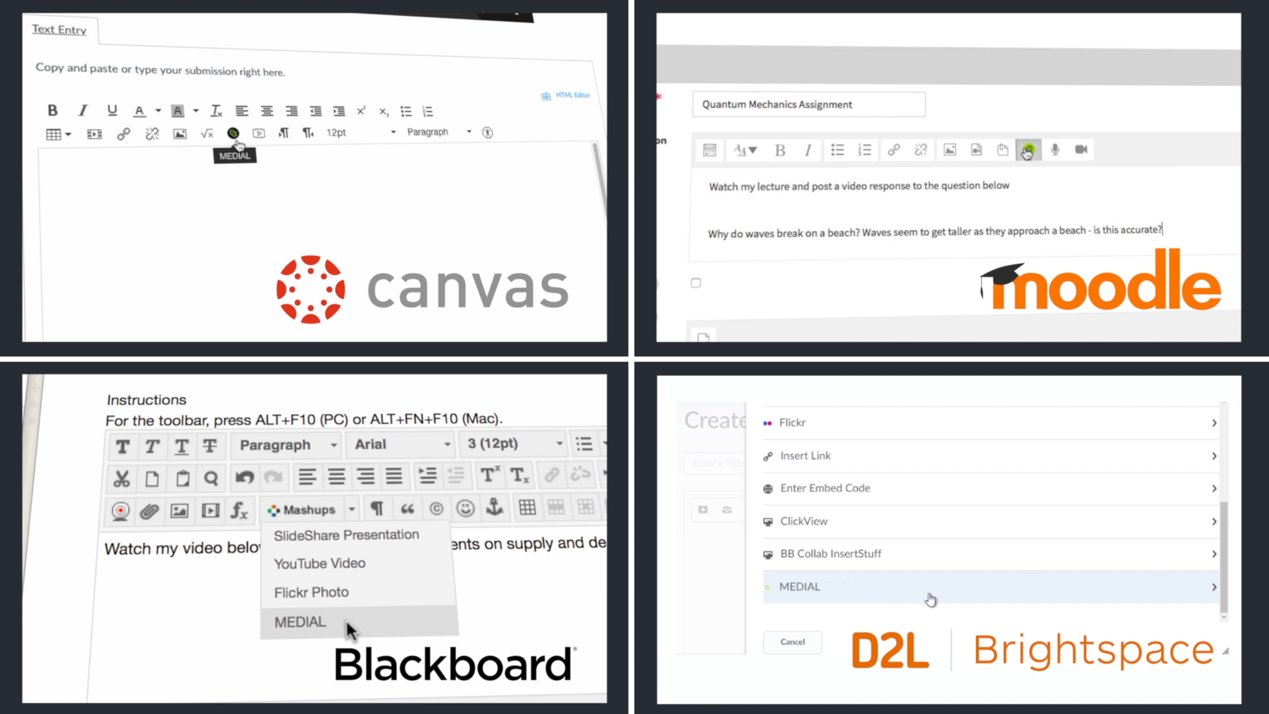
Deep integrations with the leading learning management systems and meeting tools mean no new place to log in, and no video clogging up your LMS.
Resources
This video gives a quick look at how MEDIAL works with Microsoft Teams, showing off some neat features that could really help out your...
Read article
This video shows how Medial's Zoom integration can help your organization. It covers the main features and how setting it up can be a...
Read article
This video is all about making video editing simple with Medial. We'll walk through the main editing tools available in both the CMS and...
Read articleLibrary · Live · Learning
Book a 30-minute demo with our team. We’ll walk through Library, Live and Learning with your LMS and workflows in mind, and help you choose the right deployment.