v6 is here! See below for a comprehensive list of New Features and Enhancements that have been added. Check out some our video content below as well to see the new features in more detail
Closed Captions
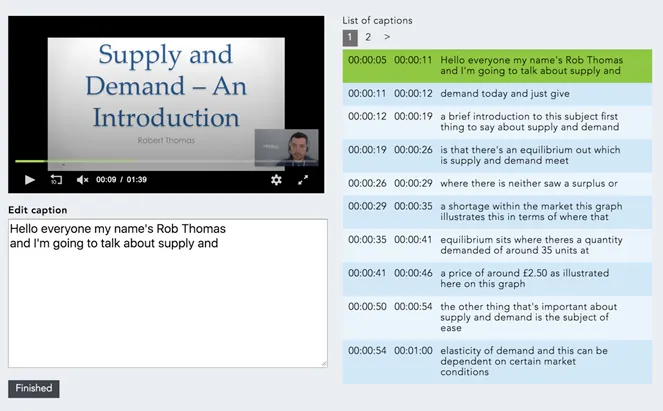
Make your content more accessible by using MEDIAL to generate captions for your content, with an easy to use editor for those quick tidy-ups. For as little as $1.00/ 0.87p per hour you can buy bundles upfront and permission out to users in a flexible way that works for you.

Analytics
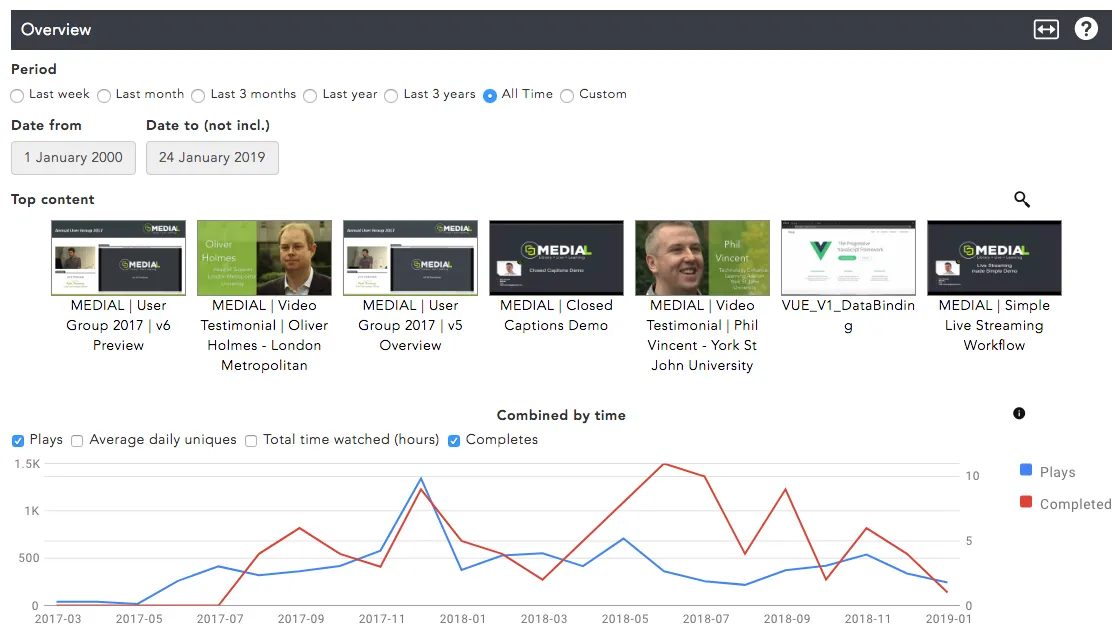
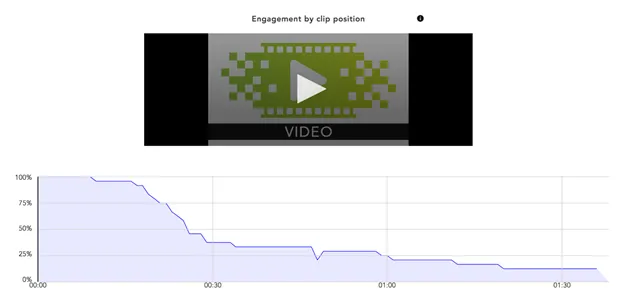
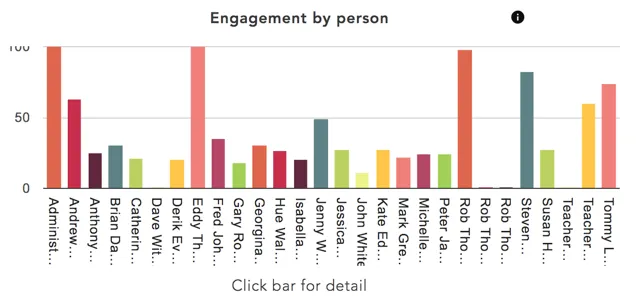
Your content is data rich and these stats are how displayed in an easy to view format that shows you information about your videos at a glance.
For example, you can view:
• Individual Student Engagement
• User engagement over time
Trim & Chop, Export
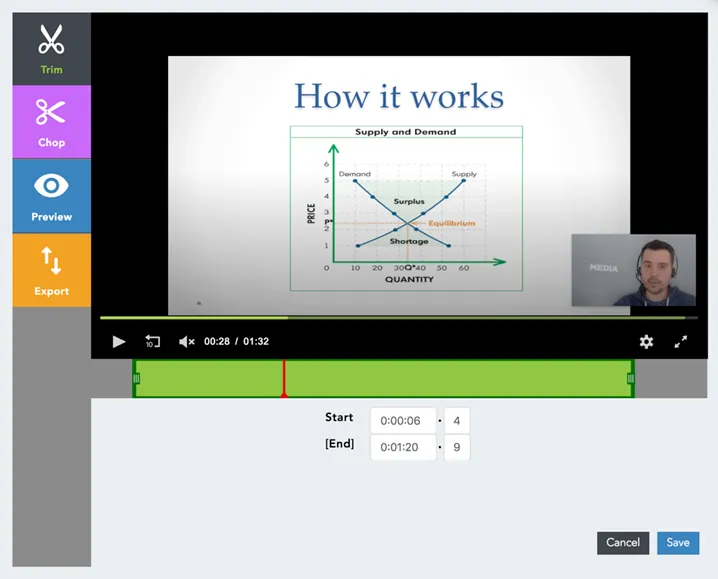
Easy editing allows you to top & tail your videos whilst also chopping sections out of the timeline, the remaining parts then stitch back together for you. An easy export button allows you to select a section and save it as a new media asset.

MEDIALecture - Screen Capture through LMS
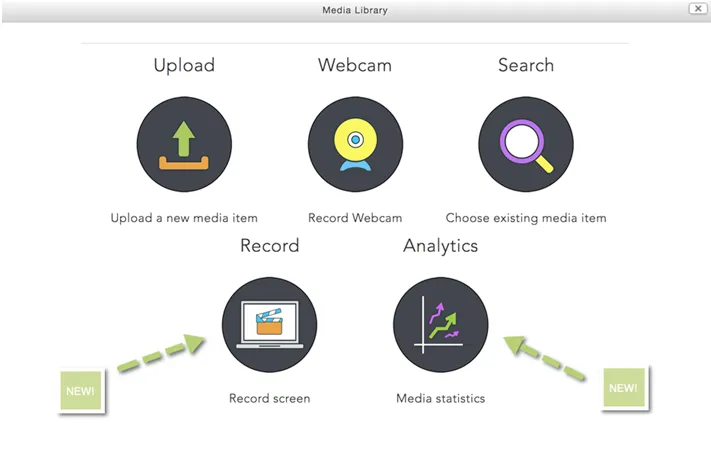
In v6 it is now possible to launch MEDIALecture within your LMS - whether that is Moodle, Canvas or Blackboard. Also available to Teachers in the LMS is the ability to view Analytics for any videos that they have added - including Student Engagement levels

HTML5 Webcam Capture
The Webcam recording feature has left Flash behind and allows for quick easy Webcam capture, basic edit and upload
Other Features and Enhancements
MEDIALecture – Screen Capture Tool Enhancements
Our popular, easy to use screen capture tool has a few additional features, including:
• Text Annotation within your drawing tools
• The ability to add custom images to your title and credit slides within the editor
• A simple check box allows the recording or your system audio for if you have a video playing during your recording
Personal – Private/Public
A simple drop down on upload allows the user to decide whether they want their personal video content to be private to only them, or whether they want to be able to share the link with others to view their video.
MEDIALoader
Why not add your content in bulk with this handy tool? MEDIALoader creates a spreadsheet pre-populated with the file name, all you have to do is add the metadata and pop it all in a folder for MEDIAL to ingest.
JW8
Keeping up to date with the latest JWPlayer which features:
• Video Preloading
• 50% smaller end script
• Faster to load multiple players