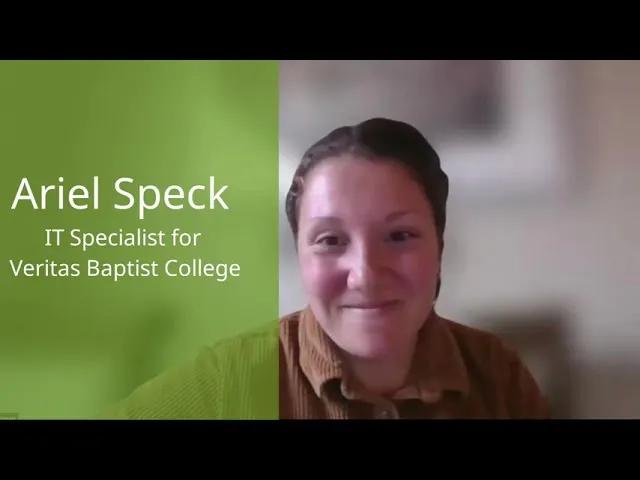
MEDIAL | Video Testimonial | Ariel Speck from Veritas Baptist College
Choosing a video platform for an educational institution is rarely just about playback. It is about integration, ease of use, and support for instructors, students, and IT staff. MEDIAL delivers on those essentials in a way that makes running online courses simpler and more reliable. This article explains why MEDIAL is a strong candidate for colleges and training programs that want to streamline multiple systems into one cohesive solution.

What makes MEDIAL a strong fit for education?
At the heart of the decision is streamlining. MEDIAL brings multiple video-related functions into a single place so teams do not need to manage a patchwork of separate tools. That reduces administrative overhead and lowers the learning curve for instructors and students.
MEDIAL is not only a media player. It offers a range of options for how video content is created, stored, delivered, and integrated with learning management systems. Those built-in choices mean institutions can tailor the platform to their workflows instead of forcing teams to change how they deliver instruction.
Benefits for IT, instructors, and students
The platform provides clear value across three core groups that need to work together for online education to succeed.
appreciate a single, consolidated system that simplifies maintenance, security, and account management. MEDIAL reduces the amount of separate vendor relationships to manage and the number of potential failure points to monitor.
get an easy interface for uploading, organizing, and sharing video content. Tools that lower friction help faculty spend more time on teaching and less time wrestling with technology.
benefit from reliable access and clear playback features. When the platform works seamlessly, learning becomes the focus rather than troubleshooting.
Real world impressions and why they matter
When an IT professional who works directly with instructors and students recommends MEDIAL, that endorsement reflects practical, day to day experience. Ease of use for administrators and instructors combined with positive student feedback are the kinds of signals any institution should notice when evaluating platforms.
"I love how easy it is to use on my end as the IT professional, but also for our instructors."
That sentiment sums up the platform's most important benefit. A solution that is both powerful and approachable increases adoption and reduces support tickets. It also makes it easier to roll out video-based learning at scale.
Key features to look for in MEDIAL
MEDIAL provides several functional areas that institutions should weigh when choosing a video platform.
like LMS or single sign on to avoid duplicate accounts and streamline access.
including adaptive streaming and device compatibility so students can learn from anywhere.
features that make it easy to organize courses, set permissions, and curate libraries of lectures and resources.
from the vendor to help with onboarding and troubleshooting.
How to evaluate MEDIAL for your institution
When considering MEDIAL, test for the way the platform integrates with your current systems and workflows. A short pilot can reveal whether the platform delivers the promised simplicity and whether instructors actually like using it.
List the systems you currently use for delivery and administration. Check compatibility and available integrations.
Run a pilot with a small group of instructors representing different technical comfort levels. Track setup time and user satisfaction.
Measure student playback experience on multiple devices and network conditions.
Assess vendor support during the pilot. Time to resolve issues matters more than feature lists.
Quick implementation checklist
and single sign on configuration.
and define instructor permissions.
for instructors focused on common tasks like uploading content and embedding media into course pages.
during the first term and prioritize fixes that reduce friction.
Establish a support channel
between your IT team and MEDIAL to accelerate resolution when issues arise.
Cost of switching and return on investment
Moving to a consolidated platform requires planning, but the benefits often outweigh the transition cost. Savings come from reduced vendor management, fewer integrations to maintain, lower support load, and faster instructor onboarding. When the platform is easy for everyone, the institution can scale video-based offerings more confidently.
Who should consider MEDIAL
MEDIAL is a strong candidate for any institution that wants a straightforward, capable video platform that reduces complexity. It is especially well suited to colleges and training organizations that must balance administrative control with instructor autonomy.
Final thoughts
Selecting a media platform is a decision that affects people across an institution. Choosing a product that prioritizes integration, simplicity, and a variety of options for how media is used will make life easier for IT teams, instructors, and students. MEDIAL hits those marks and earns a recommendation from those who have made the switch and seen the benefits in practice.
How does MEDIAL make life easier for IT teams?
MEDIAL consolidates video functionality into a single system, reducing the number of integrations to maintain. That lowers administrative complexity and centralizes security and access management.
Will instructors need technical expertise to use MEDIAL?
No. MEDIAL is designed to be approachable. Instructors can upload, organize, and share content without deep technical knowledge. Short training sessions are usually sufficient for most users.
Can MEDIAL integrate with common LMS platforms?
Yes. MEDIAL supports integrations that allow seamless embedding and single sign on. Confirm compatibility during the evaluation phase to match your LMS version and authentication setup.
What should a pilot project include?
A pilot should validate integration with your LMS, gather instructor and student feedback, and test support responsiveness. Use real course materials and measure setup time and user satisfaction to determine fit.